
In the vibrant world of TikTok, creativity knows no bounds. With millions of users sharing their unique stories through short videos, standing out in a crowded feed is essential. One effective way to capture attention and engage your audience is by incorporating special effects into your content. Whether you’re a budding influencer, a hobbyist, or simply looking to spice up your personal clips, understanding how to use TikTok’s built-in tools can elevate the quality of your videos. In this guide, we will explore various techniques for enhancing your TikTok content with special effects, ensuring you can craft visually striking and memorable videos that resonate with viewers. Let’s dive into the dynamic realm of TikTok effects and discover how to unleash your creativity!
Table of Contents
- Understanding TikToks Special Effects Toolbox
- Step-by-Step Guide to Utilizing Filters and Effects
- Creative Techniques for Engaging Storytelling
- Best Practices for Combining Effects to Elevate Your Content
- To Wrap It Up
Understanding TikToks Special Effects Toolbox
The special effects toolbox on TikTok is a treasure trove for users looking to elevate their videos and captivate their audience. With a simple tap, creators can access a plethora of features that bring their imagination to life. Here are some of the key tools you can experiment with:
- Filters: Truly transform your video’s vibe by applying various filters that adjust colors, lighting, and textures.
- AR Effects: Leverage augmented reality effects that overlay fun graphics on your videos, from playful animations to realistic props.
- Transitions: Seamlessly switch between scenes with dynamic transitions that create a professional touch without needing advanced editing skills.
- Speed Controls: Play with the speed of your footage—slow it down for dramatic effects or speed it up for comedic timing.
Understanding how to effectively combine these elements can set your content apart from the crowd. A well-crafted effect can not only enhance visual appeal but also reinforce the narrative of your video. For instance, using a combination of slow-motion and a vibrant filter on a beautiful sunset can evoke strong emotions, while quirky AR effects can bring humor to a skit. Consider the following tips when utilizing special effects:
- Be Subtle: Less is often more. Use effects to complement your content without overwhelming it.
- Stay Relevant: Make sure the effects align with your video’s theme or message to maintain viewer engagement.
- Experiment: Don’t shy away from trying new effects—keeping your content fresh is key to growing your audience.
- Plan Ahead: Visualize how effects will fit into your video to save time and enhance creativity during filming.
Step-by-Step Guide to Utilizing Filters and Effects
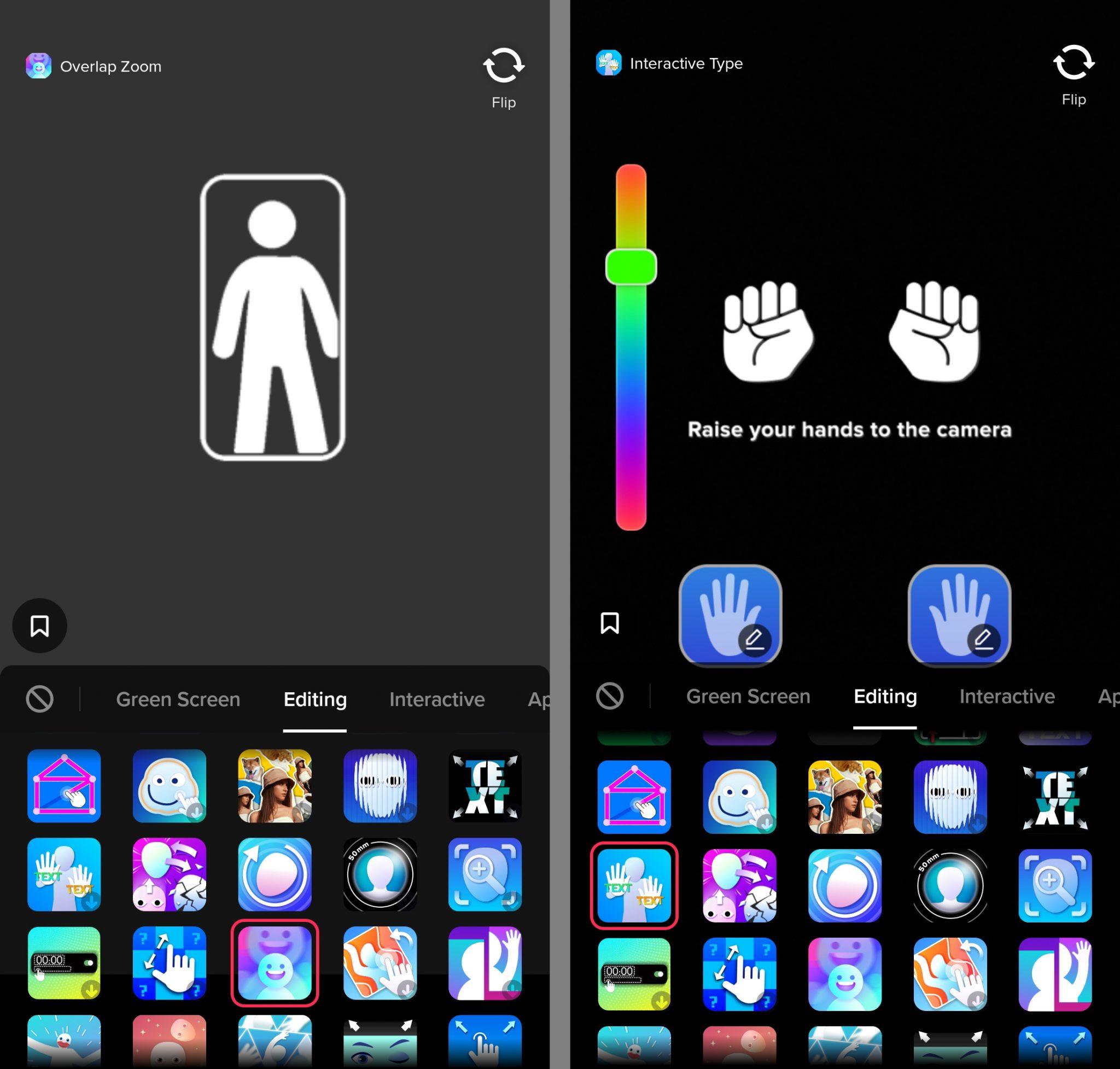
To begin enhancing your TikTok videos, open the app and navigate to the camera interface. Here, you’ll find a range of options at the bottom of the screen. Tap on the Effects button to explore a variety of filters and effects that can instantly transform your content. You can browse categories like Trending, Green Screen, and AR Effects, giving you numerous choices to add a unique twist. Once you’ve selected an effect, tap on it to apply it to your camera view and see how it looks before recording.
After recording, you can further refine your video by applying additional filters in the Edit mode. Here’s how to do it:
| Steps | Tips |
|---|---|
| Add Filters | Explore various filter options to enhance colors. |
| Adjust Effects | Fine-tune the intensity of the chosen effects. |
| Preview Changes | Use the playback button to see how your edits look together. |
| Save Your Work | Make sure to save your edits before sharing! |
Creative Techniques for Engaging Storytelling
Storytelling on TikTok is all about connecting with viewers in unexpected ways. Adding special effects can transform an ordinary clip into a mesmerizing narrative. Consider experimenting with jump cuts to create a dynamic flow or slow motion for dramatic impact. Layering effects such as filters and audio sync can add depth to your content, guiding the viewer’s emotions. Utilize TikTok’s built-in features to merge clips seamlessly, allowing for a captivating storytelling arc that keeps your audience engaged.
Another effective technique is to incorporate text overlays that enhance your narrative visually. Try using large, bold fonts that pop against the video background to emphasize key points. Additionally, integrating emojis or stickers can convey tone and enhance relatability. Below is a simple table showcasing different effects and their potential narrative impact:
| Effect | Narrative Impact |
|---|---|
| Jump Cuts | Creates a fast-paced narrative |
| Slow Motion | Enhances emotional moments |
| Text Overlays | Clarifies key messages |
| Filters | Sets mood and tone |
Best Practices for Combining Effects to Elevate Your Content
To create content that truly captivates viewers, it’s crucial to master the art of layering effects. Start by considering the mood and theme of your video; this will guide your choices. Combine contrasting effects such as slow motion with fast cuts to create dynamic transitions that grab attention. Experiment with visual enhancements like color grading to set the atmosphere, or use glitch effects for an edgy vibe. Additionally, don’t hesitate to mix audio effects with visual ones; synchronizing beats with dramatic transitions can significantly elevate the viewing experience.
When implementing effects, always prioritize clarity and storytelling. Avoid overcrowding your video with too many elements; instead, limit your use to a few well-chosen effects that serve the narrative. A thoughtful combination of text overlays, stickers, and filters can reinforce your message if executed carefully. Here’s a simple table summarizing the effects you might consider, along with their ideal use case:
| Effect | Best Used For |
|---|---|
| Slow Motion | Dramatic moments or highlights |
| Fast Cuts | High-energy transitions |
| Color Grading | Setting mood or theme |
| Text Overlays | Emphasizing key messages |
| Glitch Effects | Creating an edgy or playful tone |
To Wrap It Up
As we wrap up this guide on enhancing your TikTok videos with special effects, we hope you feel inspired to unleash your creativity and take your content to the next level. From simple filters and transitions to more advanced editing techniques, the possibilities are virtually endless. Experiment with different effects to see which ones resonate most with your audience and reflect your unique style. Remember, the key to standing out on TikTok is not just in the tools you use, but in how you express your ideas and connect with viewers. So grab your phone, start exploring, and don’t forget to have fun along the way. Happy TikToking!