
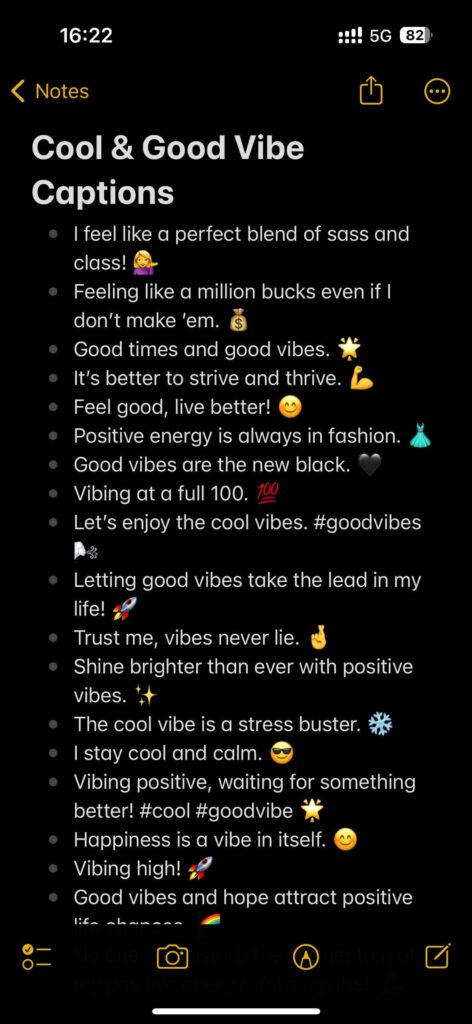
In today’s digital landscape, TikTok has emerged as one of the leading platforms for creative expression, connecting millions of users worldwide through engaging videos. As content creators strive to capture the attention of diverse audiences, the importance of accessibility and engagement has never been clearer. One effective way to enhance your TikTok videos is by incorporating captions and subtitles, making your content more inclusive and ensuring that it resonates with viewers regardless of their hearing ability or language proficiency. In this guide, we’ll walk you through the steps of adding captions and subtitles to your TikTok videos, as well as explore the benefits of doing so. Whether you are a seasoned creator or just starting out, this resource will help you make your videos more accessible and engaging for everyone.
Table of Contents
- Understanding the Importance of Captions and Subtitles on TikTok
- Step-by-Step Guide to Adding Captions and Subtitles to Your Videos
- Best Practices for Captions: Enhancing Accessibility and Engagement
- Tools and Resources for Creating High-Quality Captions and Subtitles
- Final Thoughts
Understanding the Importance of Captions and Subtitles on TikTok
Captions and subtitles play a crucial role in enhancing the overall viewer experience on TikTok. As many users scroll through their feeds without sound, providing text accompaniment ensures that your message is conveyed in a way that can be understood by everyone, regardless of their audio settings. By including captions, you not only make your content accessible to those who are hard of hearing but also cater to a broader audience, including non-native speakers who may struggle with the spoken language. Moreover, engaging TikTok videos often rely heavily on humor and visual storytelling, and strategic captioning can accentuate these elements, creating a more immersive experience.
In addition to accessibility and engagement, captions can significantly boost your video’s discoverability. TikTok’s algorithm favors content that retains viewer attention, and well-timed captions can help maintain this engagement. Captions that summarize key points or create anticipation can encourage viewers to stay longer on your video, increasing watch time and interaction rates. Below are some advantages of incorporating captions and subtitles in your TikTok videos:
- Improved Engagement: Captions enhance viewer interaction by encouraging comments and shares.
- Increased Accessibility: A wider audience can enjoy your content, including those with hearing impairments.
- Better Retention: Captions help maintain viewer focus and decrease scrolling behavior.
- Enhanced SEO: Keywords in your captions can boost video discoverability in searches.
Step-by-Step Guide to Adding Captions and Subtitles to Your Videos
To begin adding captions and subtitles to your TikTok videos, you’ll need to access the editing interface after recording or uploading your video. Once you’re on the edit screen, look for the “Text” option. Here, you can type the desired captions directly, adjusting the size, color, and positioning to fit your video. Make sure to play around with the various text styles available to enhance readability and visual appeal. Along with adding text, consider timing your captions by adjusting their duration on the timeline, ensuring they sync perfectly with the spoken content.
For an added layer of accessibility, TikTok also offers an auto-captioning feature. To enable this, tap on the “Voice Effects” option and select “Captions” from the given menu. The app will automatically transcribe the audio into text, which can be edited for any inaccuracies. Here are a few tips to keep in mind while using captions:
- Keep it concise – Avoid cluttering the screen with too much text.
- Use contrasting colors – Ensure captions stand out against the background.
- Proofread – Double-check for any spelling or grammar mistakes before finalizing your video.
Best Practices for Captions: Enhancing Accessibility and Engagement
Adding captions to your TikTok videos is not just about aesthetics; it significantly enhances accessibility for a diverse audience. Captioning makes your content available to individuals who are deaf or hard of hearing, as well as those who may be watching in sound-sensitive environments. To maximize the effectiveness of your captions, consider these essential practices:
- Keep it concise: Short and to the point captions are easier for viewers to read and comprehend.
- Use clear language: Avoid jargon and complex terminology to reach a broader audience.
- Match timing with speech: Ensure that the captions appear on screen in sync with the spoken words to maintain context.
Engagement is another crucial factor that captions can enhance. Creatively-crafted captions can grab attention and provoke curiosity, enticing viewers to interact with your content further. Here are some ideas to boost viewer engagement:
- Pose questions: Invite viewers to comment by ending with a thought-provoking question in your captions.
- Emphasize keywords: Highlight important words by using uppercase or special characters to draw attention and increase impact.
- Incorporate humorous or relatable elements: Captions that resonate on a personal level are more likely to be shared, increasing your reach.
Tools and Resources for Creating High-Quality Captions and Subtitles
Creating high-quality captions and subtitles requires the right tools and resources to ensure your message resonates with your audience. Transcription software can streamline the process, allowing you to convert audio to text efficiently. Programs like Otter.ai and Rev.com offer automated transcriptions that save time, while ensuring accuracy. Additionally, video editing tools such as Adobe Premiere Pro and Final Cut Pro have built-in captioning features that allow you to customize the appearance of your subtitles, helping your content to be more engaging. Here are some tools that can enhance your captioning workflow:
- Aegisub: Open-source software for easy subtitle creation and editing.
- Kapwing: User-friendly online editor for adding captions quickly.
- SubtitleEdit: A powerful program for creating and synchronizing subtitles.
When it comes to resources for best practices, educational platforms offer valuable insights. Websites like Wistia provide comprehensive guides on subtitle optimization, while forums such as Reddit’s r/VideoEditing allow you to engage with professionals who share their experiences. You may also consider collaborating with freelance captioners from sites like Fiverr or Upwork for custom caption services tailored to your content. Here’s a simple table showcasing some effective resources:
| Resource Type | Name | Purpose |
|---|---|---|
| Transcription Tool | Otter.ai | Automated audio transcription |
| Video Editor | Kapwing | Online caption editing |
| Guide | Wistia | Caption best practices |
Final Thoughts
adding captions and subtitles to your TikTok videos is not just a matter of accessibility; it’s a powerful way to enhance engagement and reach a broader audience. By taking the time to ensure your content is understandable to all viewers, you open the door to a more inclusive experience that can foster community and connection around your videos. Whether you’re using TikTok’s built-in features or external tools for customization, the process is straightforward and highly beneficial. So, the next time you hit the record button, remember that a few extra words can make a significant impact. Keep creating, keep sharing, and let your voice be heard—loud and clear!