
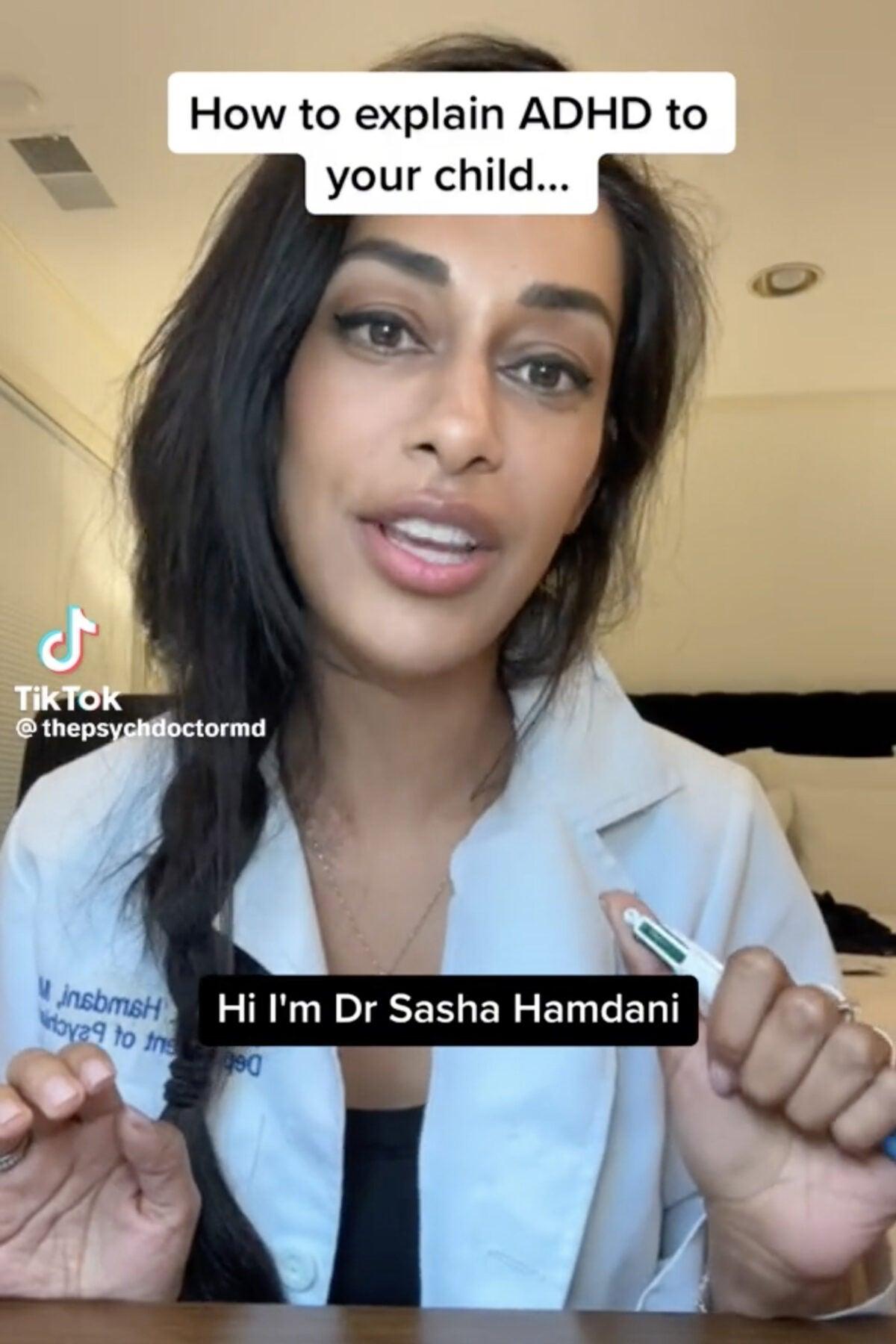
In the fast-paced world of TikTok, captivating content is key to standing out amidst a sea of creators. While stunning visuals and catchy audio are essential components, one often-overlooked aspect can elevate your videos to the next level: text overlays. Mastering the art of text overlays not only enhances your storytelling but also strengthens viewer engagement, ensuring your message resonates with a wider audience. In this article, we will explore the various techniques and best practices for incorporating text into your TikTok videos effectively. From choosing the right fonts to timing your overlays for maximum impact, you’ll learn how to boost your videos and keep your viewers coming back for more. Whether you’re a seasoned creator or just starting out, these insights will help you harness the power of text and transform your TikTok presence.
Table of Contents
- Understanding the Power of Text Overlays in TikTok Videos
- Best Practices for Choosing Fonts and Colors to Enhance Engagement
- Timing and Placement: Maximizing Impact with Strategic Text Overlay
- Tools and Apps to Create Eye-Catching Text Overlays for TikTok
- To Wrap It Up
Understanding the Power of Text Overlays in TikTok Videos
Text overlays in TikTok videos serve as a creative tool to amplify your message and engage viewers, making your content more accessible and relatable. By incorporating well-placed text, you can highlight key points, add context, or inject humor into your clips. Using different fonts, colors, and animations can enhance the visual appeal and draw attention to essential information. Many users engage more with videos that contain text, as they can quickly grasp the core message even without sound. This is especially important considering that a significant portion of TikTok viewers may watch videos on mute.
To effectively use text overlays in your TikTok creations, consider the following tips:
- Keep it Concise: Limit text to short phrases or keywords to maintain viewer engagement.
- Match the Aesthetics: Align text styles with your video’s theme for a cohesive look.
- Timing is Key: Ensure text appears at the right moments to complement the visuals.
- Use Contrasting Colors: Text should stand out against backgrounds for easy readability.
Here’s a quick comparison of styles to consider when choosing your text overlays:
| Style | Description |
|---|---|
| Bold Fonts | Great for grabbing attention and emphasizing a call-to-action. |
| Script Fonts | Add a personal touch and convey emotions like warmth or creativity. |
| Minimalist Text | Subtle and clean, perfect for professional or sophisticated themes. |
Best Practices for Choosing Fonts and Colors to Enhance Engagement
To create compelling text overlays in your TikTok videos, the choice of font can significantly impact viewer engagement. Opt for legible fonts that resonate with your video’s mood. For example, sans-serif fonts like Arial or Montserrat work well for clean, modern looks, while playful scripts like Pacifico can add a whimsical touch. Make sure to maintain consistency across your videos by sticking to a limited set of fonts, ideally no more than two or three, to establish a recognizable style. Additionally, consider the font size: it should be large enough to read easily on mobile devices, which are commonly used for viewing TikTok content.
Color can evoke emotions and set the tone for your videos, so choose your palette wisely. Employ colors that complement each other and align with your brand. Here are some tips for selecting your color scheme:
- Contrast: Ensure sufficient contrast between text and background for readability.
- Brand identity: Use your brand colors to create recognition and consistency.
- Emotion: Leverage color psychology – blue for trust, red for excitement, yellow for positivity.
Running A/B tests with different fonts and colors can also help pinpoint what resonates best with your audience, making your text overlays not just visually appealing but also engaging. The goal is to stimulate interest while ensuring clarity.
Timing and Placement: Maximizing Impact with Strategic Text Overlay
Strategic placement of text overlays can significantly enhance the storytelling aspect of your TikTok videos. By considering where to position your text, you can ensure that it complements the visuals rather than distracting from them. Areas to consider for text placement include:
- Top Third: This area is ideal for titles or introductory text as it naturally draws the viewer’s attention without obstructing the main content.
- Bottom Third: Placing text here can emphasize key points or calls to action without interfering with the subject matter being showcased in the video.
- Center: Use with caution; central positioning can be captivating but may detract from the visual elements surrounding it.
Timing is equally crucial when it comes to overlaying text on your videos. A well-timed text reveal can guide the viewer’s understanding and enhance emotional impact. Consider these aspects when timing your text:
- Key Moments: Synchronize your text with pivotal scenes or transitions to emphasize messages effectively.
- Duration: Keep text on screen long enough for viewers to read comfortably, but not so long that it feels stagnant.
- Subtle Animations: Utilize fade-ins or slide-ins to make the text feel organic to the video’s flow.
Tools and Apps to Create Eye-Catching Text Overlays for TikTok
Creating visually appealing text overlays for your TikTok videos can significantly enhance viewer engagement. Fortunately, numerous tools and apps are available to help you achieve this effortlessly. Canva, for instance, is a versatile design platform that offers a range of customizable templates. You can easily select a TikTok format, choose from a variety of fonts, and add stylish animations to your text. InShot is another fantastic app, providing not only video editing capabilities but also the option to insert dynamic text overlays with colorful backgrounds and effects to grab attention.
If you’re looking for something more specialized, consider Over or Typito, both of which make adding text overlays as simple as drag and drop. Over features a vast library of graphics and a robust editing toolkit to create stunning typography, while Typito allows for easy video editing with customizable text animations that can be synced to your audio. Each of these tools offers unique features that cater to different aspects of text overlay creation, allowing you to experiment and find the perfect fit for your videos. Here’s a quick comparison of some notable options:
| App/Tool | Key Features | Best For |
|---|---|---|
| Canva | Templates, animations, extensive font library | General design flexibility |
| InShot | Video editing, text overlays, effects | All-in-one video editing |
| Over | Custom graphics, text styles | Creative design projects |
| Typito | Text animations, audio syncing | Text-focused video content |
To Wrap It Up
mastering text overlays is a powerful way to enhance your TikTok videos and engage your audience more effectively. By strategically using text to emphasize key points, convey emotions, or add context, you can capture attention and improve viewer retention. Remember to keep your overlays stylish yet legible, aligning with your overall brand aesthetic while ensuring that they complement your visuals. As you experiment with different fonts, colors, and placements, don’t be afraid to assess what works best for your content.
With these tips in hand, you’re now equipped to elevate your TikTok game and create videos that not only stand out but resonate with viewers. So why wait? Start incorporating these text overlay techniques into your next video and watch your creativity—and your audience—grow. Happy TikToking!