
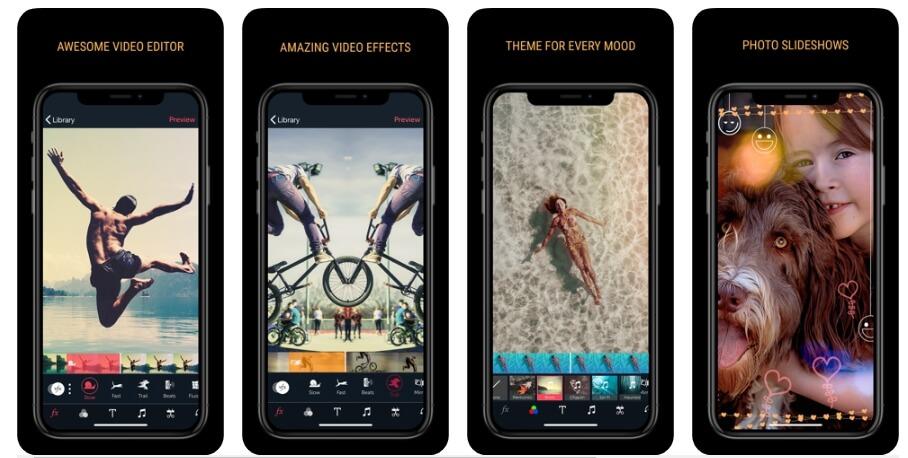
In the vibrant world of TikTok, where creativity meets brevity, the right tools can make all the difference. Whether you’re a budding influencer aiming to grow your audience or simply looking to share fun moments with friends, mastering video editing is key to standing out in the crowded feed. Fortunately, you don’t need to be a tech wizard or a seasoned filmmaker to create eye-catching videos. This complete guide will introduce you to the top TikTok video editing tools specifically designed for beginners. From intuitive apps that simplify the editing process to features that elevate your content, we’ve curated a selection of user-friendly options that can help unleash your creativity and enhance your storytelling. So, let’s dive in and explore the tools that can take your TikTok game to the next level!
Table of Contents
- Essential Features to Look for in TikTok Video Editing Tools
- User-Friendly Applications for Effortless Editing
- Best Free and Affordable TikTok Editing Tools for Beginners
- Tips and Tricks to Maximize Your Editing Skills on TikTok
- The Way Forward
Essential Features to Look for in TikTok Video Editing Tools
When selecting a video editing tool for TikTok, consider the user interface. A clean and intuitive design can significantly enhance your editing experience, especially for beginners. Look for features that offer drag-and-drop functionality and easy navigation through various tools and effects. Additionally, the availability of tutorials or guides within the app can be invaluable for those just starting out. Having quick access to resources that help explain using filters, transitions, and music options can make the learning curve smoother.
Another crucial feature is a robust set of editing options. The ideal tool should provide a variety of capabilities, including trimming clips, adding text overlays, and applying effects and filters. Don’t overlook the importance of audio editing capabilities, as sound is a vital component of engagement on TikTok. Moreover, compatibility with TikTok’s aspect ratios and file formats is essential to ensure seamless uploading. As you explore different tools, pay attention to their ability to support high-resolution exports, ensuring your videos maintain their quality even after editing.
User-Friendly Applications for Effortless Editing
When it comes to TikTok, user-friendly applications are essential for those just starting out. The right tools can turn basic clips into captivating content with minimal effort. Here are some standout options that beginners will find intuitive:
- InShot: This app offers a straightforward interface, allowing for quick edits, trimming, and the addition of music or sound effects. It’s perfect for those who want to enhance their videos without getting lost in complex features.
- CapCut: With a plethora of templates and effects, CapCut makes video creation both fun and simple. Users can effortlessly add transitions and text overlays, making it a popular choice for fresh content creators.
- Adobe Premiere Rush: Tailored for aspiring creators, this app blends professional-grade tools with an accessible layout, enabling users to create stunning videos quickly, even on mobile devices.
For those who want to compare some features of these editing tools at a glance, here’s a simple breakdown:
| Application | Ease of Use | Key Features |
|---|---|---|
| InShot | High | Trim, Music, Effects |
| CapCut | Very High | Templates, Transitions |
| Adobe Premiere Rush | Medium | Professional tools, Multi-platform |
Best Free and Affordable TikTok Editing Tools for Beginners
For beginners looking to create engaging TikTok videos, there are several free and affordable editing tools that can transform raw footage into captivating content. CapCut is one of the most popular choices, offering an intuitive interface paired with powerful features such as advanced filters, music integration, and text overlays. Another fantastic option is InShot, which provides extensive editing capabilities, including slow motion, video splitting, and a variety of aspect ratios that ensure your videos fit perfectly on TikTok. Additionally, VN Video Editor stands out for its professional-grade tools while still being user-friendly, making it an excellent pick for those just starting out.
When choosing the right editing tool, consider what features align with your creative vision. Here’s a quick comparison table highlighting the main features of these tools:
| Tool | Free Version | Key Features |
|---|---|---|
| CapCut | Yes | Templates, stickers, effects |
| InShot | Yes | Video splitting, music library |
| VN Video Editor | Yes | Multi-track editing, speed control |
Besides these, simple tools like Canva offer basic video editing capabilities along with graphic design elements, great for creating eye-catching thumbnails or branding your videos. Additionally, Quik is another useful app that specializes in quick edits with ready-made themes and transitions, perfect for those who want to save time while ensuring quality. By experimenting with these free and affordable tools, beginners can find their preferred editing style and enhance their TikTok presence effectively.
Tips and Tricks to Maximize Your Editing Skills on TikTok
To elevate your TikTok editing skills, start by familiarizing yourself with the essential tools available. Utilize user-friendly apps like InShot or CapCut, which offer a plethora of features including filters, transitions, and music overlays. Make the most of your editing process by focusing on the following strategies:
- Experiment with Speed: Play with speed settings to create dramatic effects—slow down clips for emphasis or speed them up for comedic timing.
- Explore Text and Stickers: Use on-screen text to convey messages succinctly and integrate stickers for engagement.
- Layer Audio: Combine sound effects, voiceovers, and trendy music to create a rich audio landscape.
Moreover, mastering sequencing and pacing is crucial for captivating your audience. To aid in your journey, consider creating a storyboard before filming, which helps in structuring your content effectively. Here’s a simple overview of key editing elements that can enhance your videos:
| Editing Element | Tip |
|---|---|
| Transitions | Use smooth transitions to maintain flow and keep viewers engaged. |
| Color Grading | Adjust colors to set the mood and create a cohesive aesthetic. |
| Text Effects | Add animations to text for better visibility and impact. |
The Way Forward
As we conclude our exploration of the top TikTok video editing tools for beginners, we hope you feel equipped to take your content creation to the next level. Whether you’re looking to add engaging effects, perfect your audio, or simply streamline your editing process, the tools we’ve discussed offer something for everyone. Remember, experimentation is key, so don’t hesitate to try out different apps and features until you find what works best for your unique style.
With the right tools at your fingertips, you can unleash your creativity and connect with audiences around the globe. So go ahead, dive into your TikTok journey, and let your imagination run wild. Happy editing!